Math drill sheets
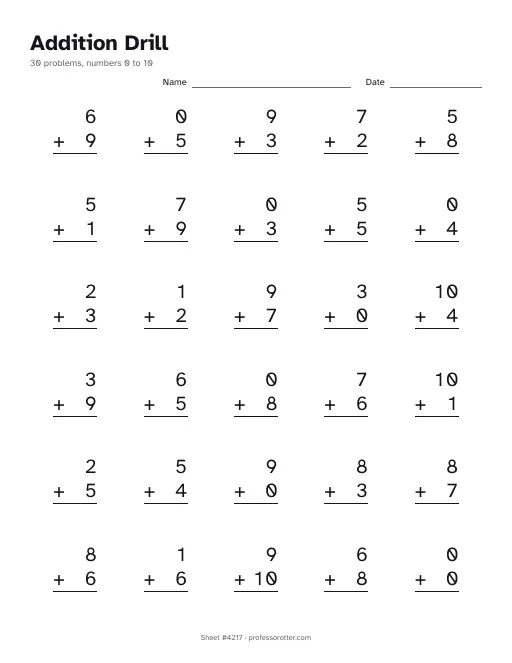
Pick addition, subtraction, multiplication or division, the numbers to use and how many problems. Print a sheet of problems with a name and date line, and an answer key on the next page.
Want math with a picture? Browse color by math sheets. Want place value, time, or money? Print a free math worksheet.
How to use the math drill sheets
- Pick addition, subtraction, multiplication or division. Then set the smallest and largest numbers the problems can use.
- Choose how many problems, from 1 to 40. For subtraction or division, tick Allow negative answers or Allow remainders if your child is ready. Then choose Make the sheet.
- Look over the problems on screen. They are the same ones the PDF prints. Choose New problems for a different set, then Print or download the PDF.
What's in the PDF
- Page 1: the drill's name, a line with the number of problems and the range, and Name and Date lines.
- Every problem on one page in rows of five, written in columns so the ones and tens line up. Division problems use the long division bracket.
- Page 2, the answer key: the same problems with each answer written in, and remainders shown as R, as in 7 R2.
- A small footer on each page with the sheet number and professorotter.com.
Questions about the math drill sheets
Is the math drill maker free?
Yes. Each sheet is free to make, print and download, so a fresh one every day costs nothing.
Do I need an account?
No. The form works straight away, with no sign-in screen and no email to type.
Is there a watermark?
No. The problems print clean. A single small line at the bottom of each page gives the sheet number and professorotter.com.
How big can the numbers be?
Any whole numbers from 0 to 1000. Use 0 to 10 for basic facts, or 10 to 99 for two-digit practice. For division, the range sets the number you divide by and the answer, so 1 to 10 can give 100 ÷ 10. Division never divides by 0, and with Allow remainders ticked, each remainder is smaller than the number you divide by.
Can it keep subtraction answers from going below zero?
Yes, that is how it starts: the larger number always goes on top. Tick Allow negative answers to let the smaller number go on top, so some answers drop below zero.
Is there an answer key?
Yes, on page 2. It repeats every problem with its answer filled in, so marking is quick. Clear the Answer key page box before you open the PDF if you only want the problems.
Can I print the same sheet again later?
Yes. The page address holds your settings and the sheet number, so Copy link saves this exact sheet and brings it back whenever you open the link. Choose New problems for a fresh sheet with the same settings.
What paper size is the sheet?
Each page is portrait US Letter, 8.5 by 11 inches. The problems stay inside the area an A4 page can print, so the sheet also fits A4 paper at 100% size.