Criss-cross maker
Type your spelling or vocabulary words. Kids fit each word from the word bank into the grid. A long list spreads over up to three grids, and the PDF ends with the answers.
Free PDF with the answer key. No account. No limit.
Want ready-made puzzles? Browse criss-cross puzzles.
How to use the criss-cross maker
- Type 4 to 20 spelling or vocabulary words. Press Enter after each one, or paste the whole list at once. A word can have up to 15 letters.
- Add a title if you like, then choose Make the puzzle. The first grid shows up on the page, and you can type letters into it to test the puzzle before you print.
- Choose Print or download the PDF. It opens in a new tab, where you can print it or save it for later.
What's in the PDF
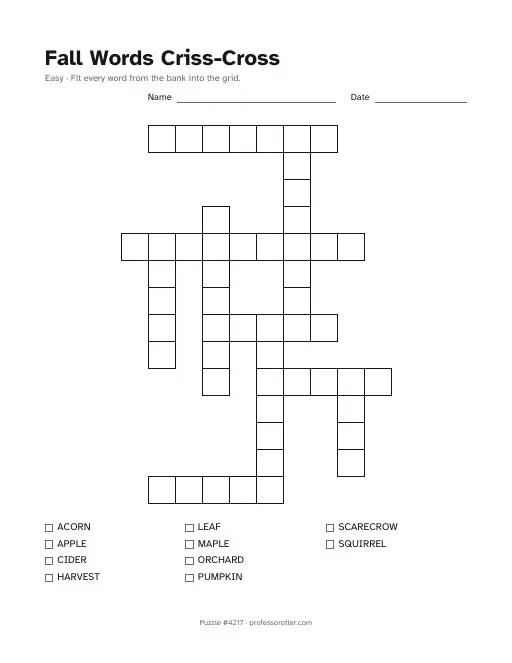
- A puzzle page with your title, a line for the child's name and the date, and an empty grid of squares. The line under the title reads Easy and asks kids to fit every word from the bank into the grid.
- A word bank under each grid, in A to Z order, with a small box to tick off each word once it is in place.
- For a long list, up to 3 grids labeled Puzzle 1, Puzzle 2 and so on. Small grids share a page.
- A footer on every page with the puzzle number and professorotter.com.
- The answers at the end, after every puzzle page, with each grid filled in. That way a class set prints with the answers out of the way.
Questions about the criss-cross maker
Is the criss-cross maker free?
Yes. You can make as many puzzles as you want, print them and download the PDF at no cost. There is no account to create and nothing asks for an email address.
Is there a watermark?
No. Each page has only a small footer line with the puzzle number and professorotter.com, so the grid and the word bank stay clean.
How many words can I use?
Between 4 and 20 words, each up to 15 letters long. Spaces, hyphens, apostrophes and accents are dropped, so ice cream goes in the grid as ICECREAM. A word with a number or another symbol gets a note asking you to fix it. Repeated words are dropped.
Can I paste my spelling list?
Yes. Paste it straight from a document or an email. Words on separate lines or with commas between them each become their own entry.
What if a word doesn't fit?
Words cross where they share a letter, so a word with no letters in common with the rest has nowhere to go. The page names any word that didn't fit and the PDF leaves it out. Choose New layout to try a different arrangement, or swap in a word that shares letters with the others. When one grid can't hold the whole list, the rest go on a second or third grid. A later grid may borrow a word from an earlier one so the leftovers have something to cross.
Can I print the same puzzle again later?
Yes. The page address holds your words and the puzzle number, so Copy link saves the exact puzzle. Opening the link brings back the same grids. If you change only the title, the grids stay the same too.
Is there an answer key?
Yes. The answer pages come last, with every grid filled in. To leave them off, untick Answer key page before you open the PDF. The title can be up to 80 characters, and Criss-Cross is added after it.
What paper size is the PDF?
US Letter, 8.5 by 11 inches, in portrait. On A4 paper, choose Fit to page in the print dialog so nothing gets cut off.